Skillset Shipped 2025
Any team could build an AI assistant on its own data, without filing a ticket
Skillset lets business teams build AI “skills”: assistants with their own instructions, data and owners. This case study covers the builder, versions, and the insights that tell an owner why answers go wrong.
- Role
- Product Designer (sole designer)
- Timeline
- Month to Month 2025
- Team
- N engineers, 1 PM, me
- Skills
- Product design, Interaction design, AI UX, Design systems
My role
So my job was to make building an assistant feel like describing your own work.
I was the only designer. I designed the workspace model, the skill builder, versions, permissions, chat and the insights pages, and the component library the engineers built from.
- Problem
- Every new assistant needed the data team, and a generic chatbot couldn't answer questions about a team's own documents.
- What I did
- Designed a builder that splits a skill into what it does and what it knows, with versions, owners, and insights on answer quality.
- Result
- Built so a business team can go from an idea to a working assistant on its own, and see which questions its data can't answer.
Client work, shown with a new name, made-up data and a new visual identity. Views are my own.
Problem
Every team wanted an AI assistant that knew its work…
Each new assistant went through the data team: someone wrote the prompt, wired up the files and set access by hand. Generic chat tools were quicker, but they knew nothing about a team's own documents and couldn't be trusted with confidential ones.
…but each one meant a ticket, and a wait for the data team.
That left the business two bad options: a queue that capped how many teams got AI, or people pasting company data into tools nobody had approved.
Who it’s for
- Business teamsBuild a skill for their own work, usually without technical help.
- Workspace ownersDecide who can use a skill, and which version is live.
- AdminsWatch cost, usage and answer quality across every skill.
From a ticket for the data team to a skill the team owns.
Before: One long form, every field at once
After: Three short steps, one question at a time
Before: The data team writes the prompt and wires up the files
After: The team that knows the data builds the skill
Before: A bad edit means rebuilding the assistant
After: Every edit is a version, and one version is live
Before: Weak answers get blamed on the AI
After: Owners see which questions their data can’t answer
Discovery
Who would actually build the skills?
The people building skills weren't technical. They knew their data and their questions, not prompts or models.
Most of what shaped the design came from the platform itself: where the data lives, how permissions already work, and what had to be agreed before anyone could chat. Add the research you did with builders: who you spoke to and what changed because of it.
- Permissions
- Owners and members come from the company directory, as people or groups. There is no separate user list.
- Data
- Sources are uploaded files, SharePoint sites, the data lake or a public URL, and each one syncs differently.
- Trust
- Answers are evaluated, and everyone accepts the usage terms before their first chat.
Core idea
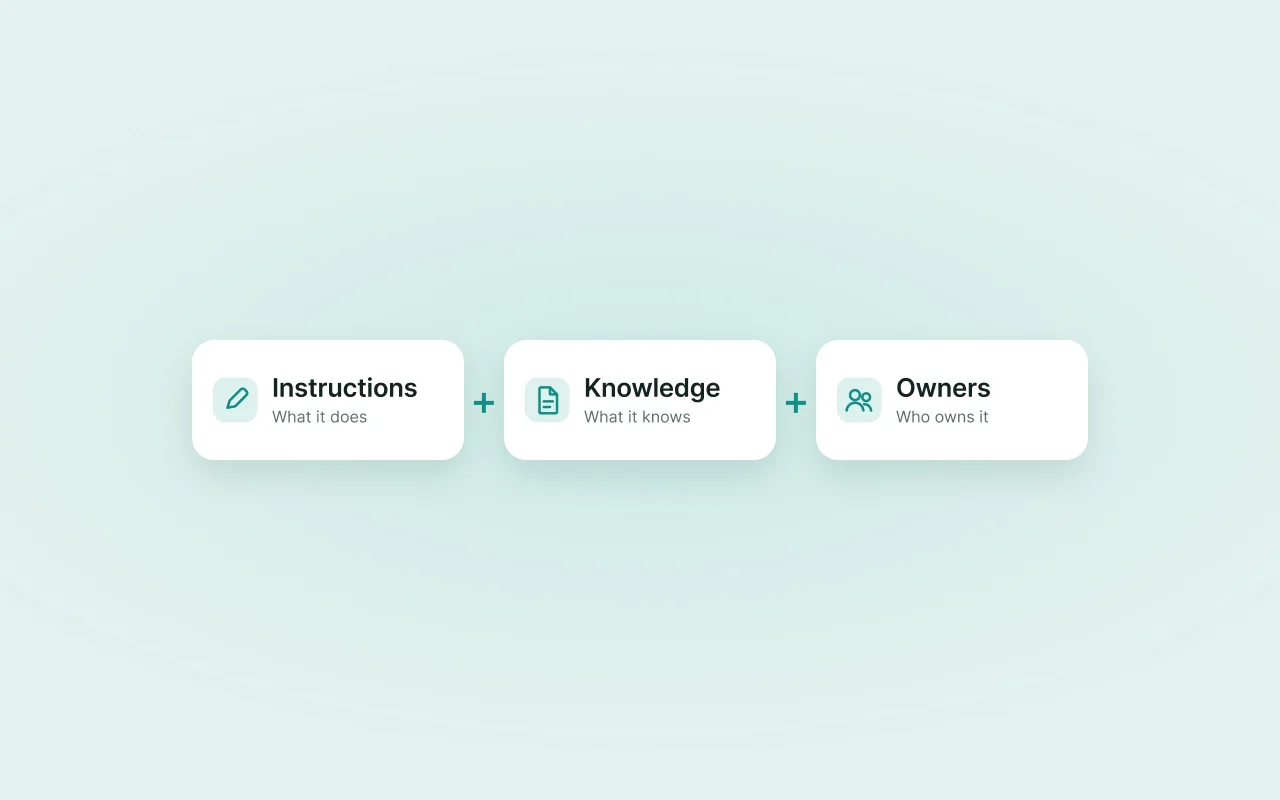
A skill is three things a team already knows.
The builder asks about the job, the data and the people before anything technical, because those are the questions a business team can answer.
The skill formula
- Instructions
- What it does and how it sounds: the task, the persona and the model.
- Knowledge
- Where its answers come from: files, SharePoint, the data lake or a site.
- Owners
- People or directory groups who can change it, use it, and pick the live version.
- A skill
- An assistant a team can build, trust and fix on its own.
Exploration
The data step and the analytics went through rounds of their own.
01
Choosing where the data lives
The data-source step started as a checklist of source types. It became chips, with the upload and the SharePoint and public links appearing for each type you pick.
02
Analytics before the metrics page
An early landing split insights into cost, telemetry and evaluation, beside the first cost report, with spend by skill and over time.
Decisions
Three calls shaped the builder.
Decision 1: Three short steps instead of one long form
Creating a skill takes three steps: what kind of data it reads, what it does (name, instructions, persona, model), and where that data lives. A builder who isn't technical answers one question at a time instead of facing every field at once. The cost: more clicks for people who already know what they want.
Step one of three: what kind of data the skill reads Decision 2: Every edit makes a version, and one version is live
Owners change instructions and sources often. Versions mean a bad edit can be rolled back without rebuilding the skill, and chat always runs on the version marked active. The cost: owners have to tell active from latest, so the version list says which is which in words.
Version history, with the active version marked Decision 3: Show owners which questions their data can't answer
Insights rank the top and bottom five questions by how well the skill's own sources supported each answer. When answers go wrong the fix is usually in the data, not the prompt, so the page points owners there. The cost: a quality score needs evaluation running behind it.
Top and bottom questions, by context quality
Solution
A team lead can set up a skill in three short steps, chat with it, and see where its knowledge runs out.
Here is the builder, then the chat a team uses and the pages an owner checks afterwards.
From an idea to an assistant the team uses.
- 1Pick the dataStructured tables, or documents, images, audio and video.
- 2Describe the jobName, instructions, persona and model.
- 3Connect the sourcesUpload files, or point at SharePoint, the data lake or a site.
- 4Chat and shareSuggested questions come from the skill’s own sources.
- 5Check and improveInsights show what its data can’t answer, and a new version fixes it.
- 1Details and data source sit on separate tabs, so each screen stays short.
- 2The model is picked from a list, never typed.
- 3Web search can be switched on, with an allow-list of the sites it may use.
- 4The active version is always on show, next to save and delete.
Every chat says which skill is answering
Suggested questions come from the skill's own sources. Each answer can be rated, regenerated or reported, and a failed answer says what failed instead of showing a generic error.
Skills live in workspaces, filtered by who made them
Workspaces follow how the company is organised: business group, function and market. Filters for created by me, shared with me and pinned keep a long list short.
Cost and usage, per skill
Metrics show what each skill costs and how it's used, next to its evaluation results, so an admin can see which skills earn their keep.
More screens
The states around the happy path
Outcome
Built so a team can have a useful assistant without waiting in anyone's queue.
These are the effects the design was built for, not measured results. Next to each is the signal that would show it.
Teams build their own assistants instead of queueing for the data team
What would show it: Skills created by business teams, against requests still reaching the data team.
Less company data pasted into unapproved AI tools
What would show it: Skillset usage alongside IT's reports on unapproved tools.
Weak answers get fixed at the source
What would show it: Bottom-five questions that move up after an owner changes the skill's data.
Reflection
What did I learn?
Builders who aren't technical think in jobs and documents, not prompts and models. The builder worked best wherever it used their words, which is why it asks about the data and the job before anything technical.
What would I change?
I'd bring insights into the first version of the builder. Once a skill is live, its owner's next question is whether it's any good, and the builder should point there from the start.
Next case study
Groundwork